
Understanding Why a Task is Late
Now that you know which tasks are late or will be late, you need to understand why. There are several reasons why a task might be late:
- The artist is overwhelmed with too many tasks.
- There is too much back-and-forth on the task.
- The task might be underestimated, making it difficult to finish on time.
- The previous task was already late.
Checking an Artist's Workload
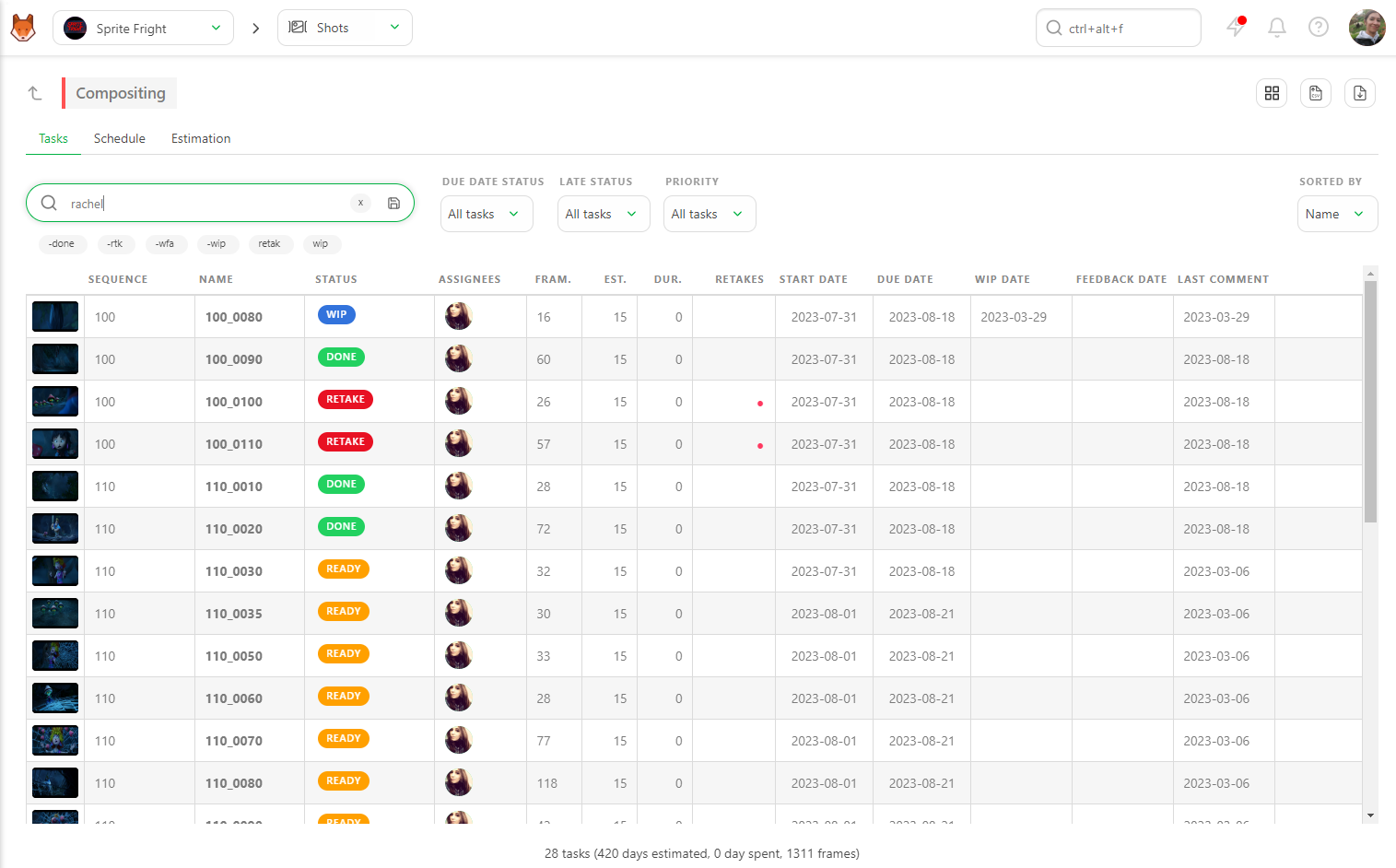
To check an artist's number of tasks, filter the Task Type page by the artist's name under the Task tab.
You can also add the -done filter to see what the artist has left to do. Then add the Due Date Status filter to Due previous week or Due this week, depending on what you are looking for.
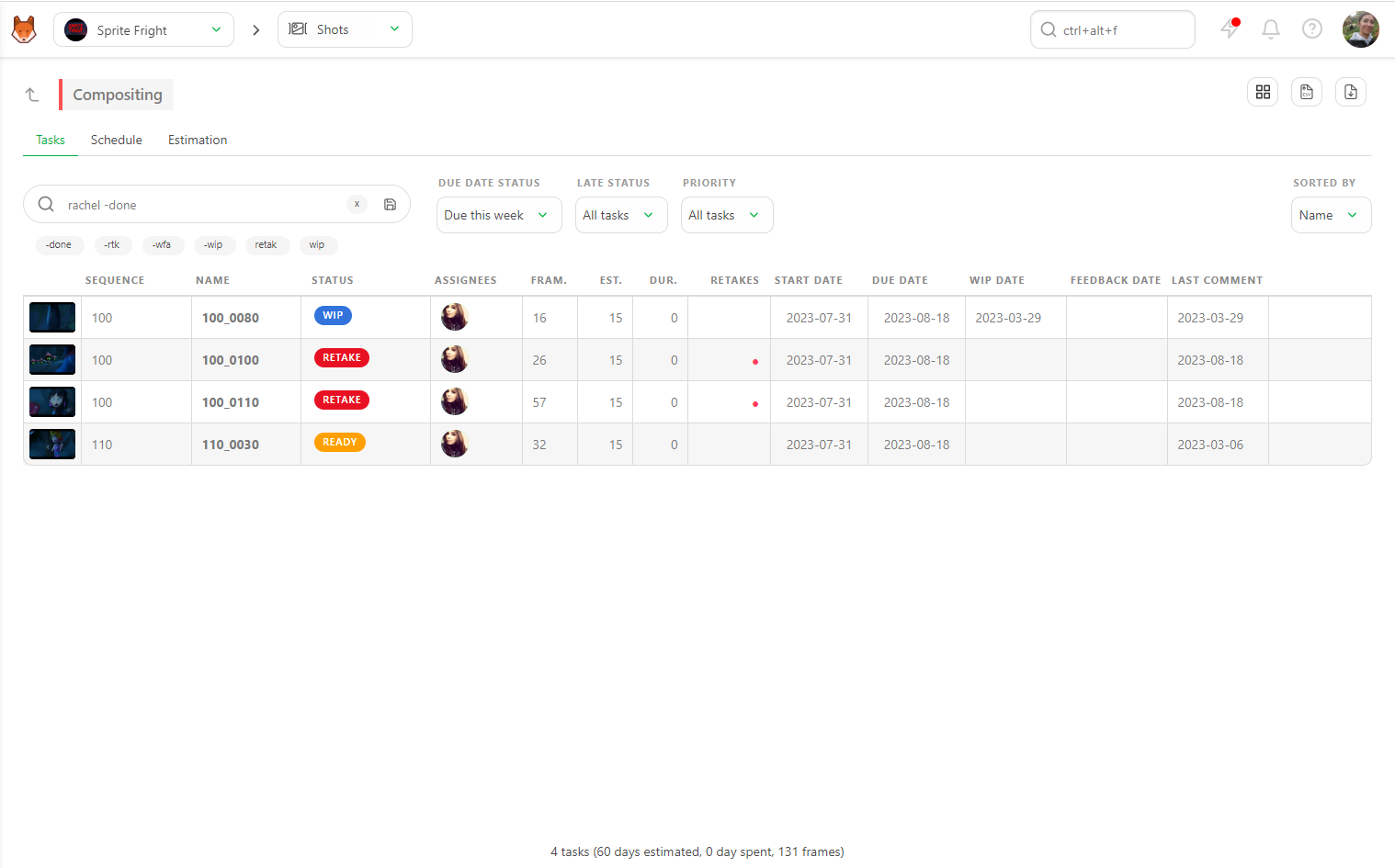
This will show you how many tasks your artist has to complete.
Identifying Back-and-Forth
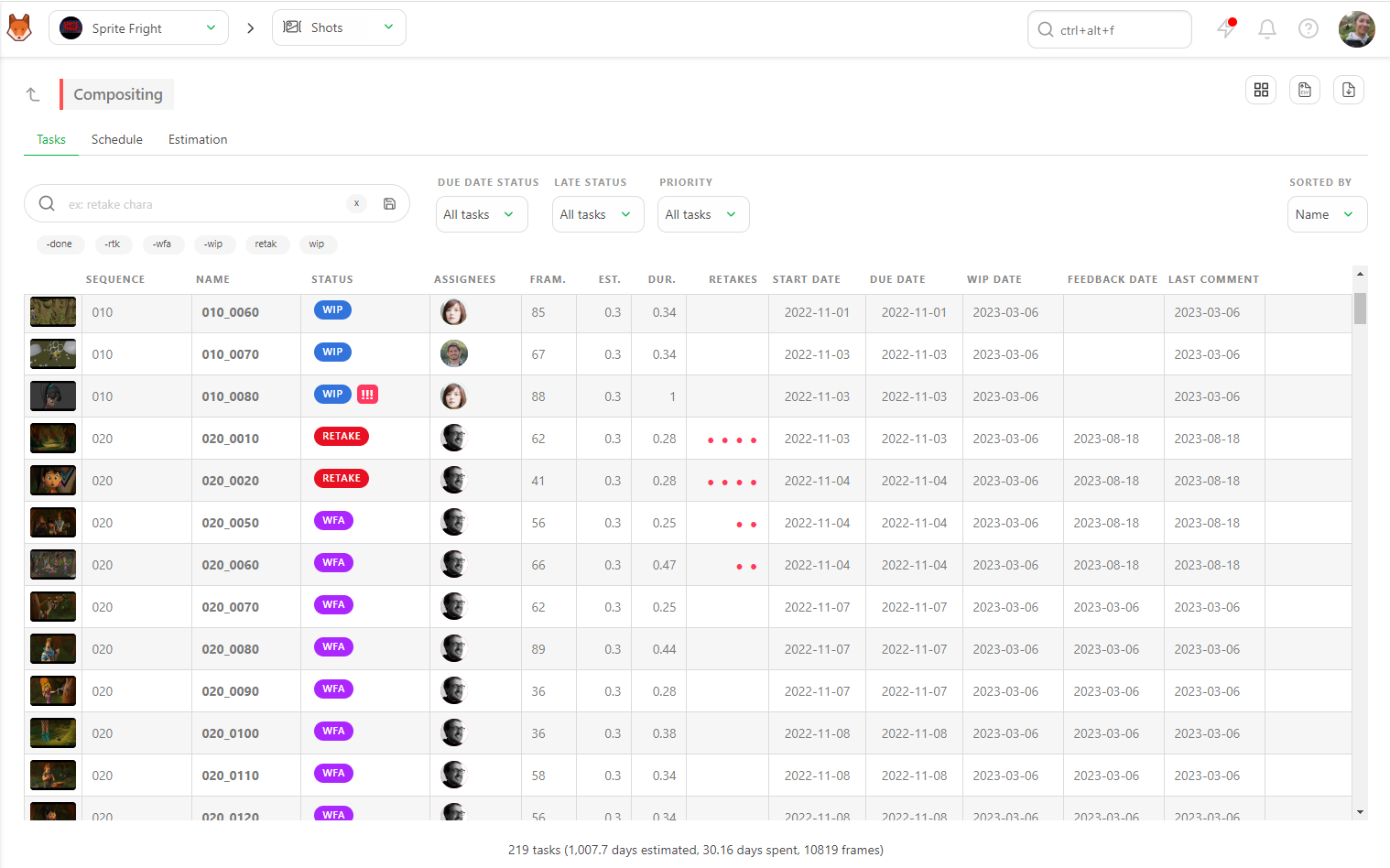
To identify the number of back-and-forths, look at the Retakes column on the Tasks tab. Each Red Dot represents a retake. Click on the line to open the Comment panel and read the entire task history. This is the best way to understand what is happening—whether the artist misunderstood the brief or if the brief changed with each version.
Checking if the Task is Underestimated
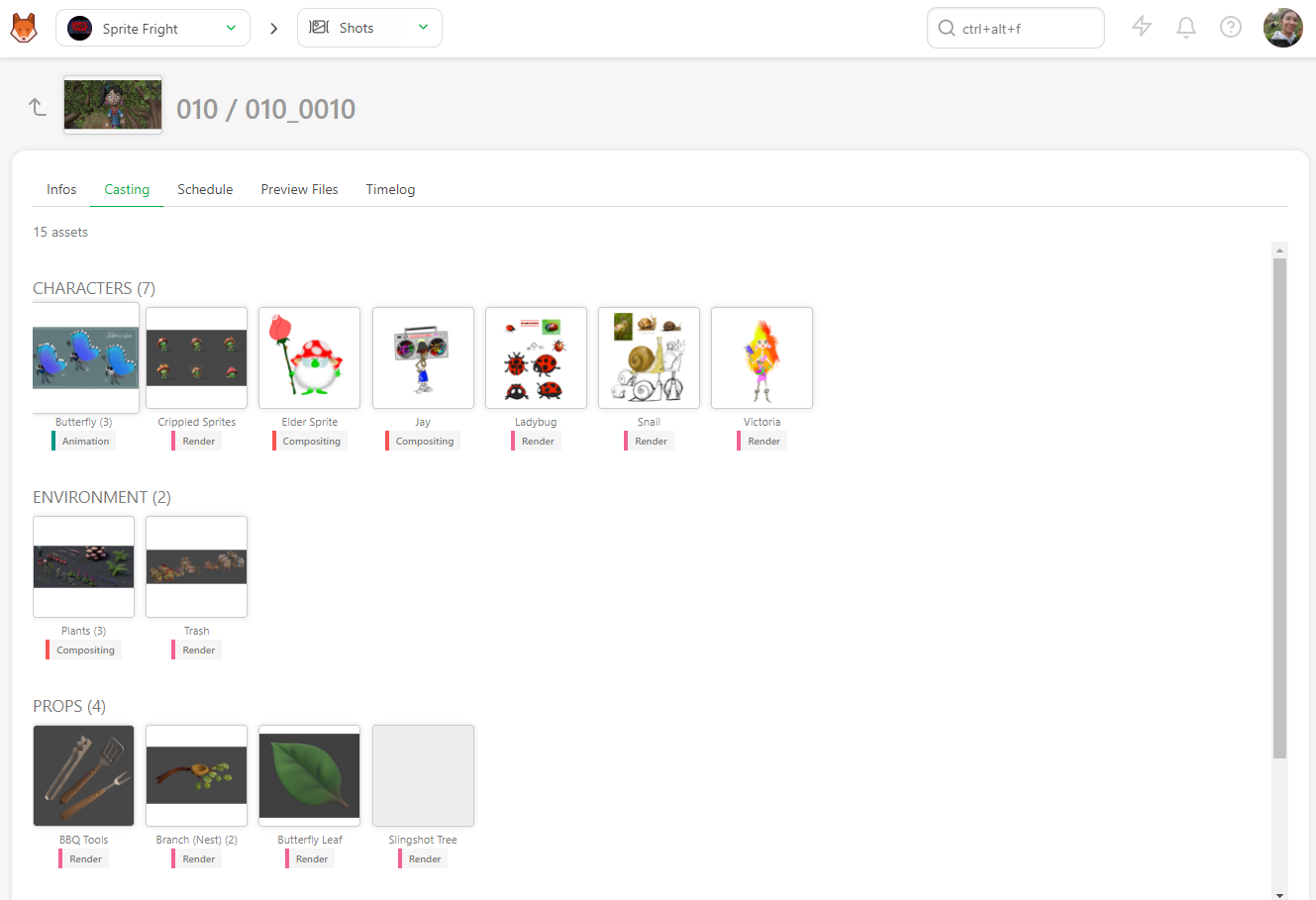
To check if the task is underestimated, go back to the global page, click on the name of the shot or asset, and see the casting and all the extra information. For example, there might be too many characters in the scene, or it might be a big action scene.
Checking the Previous Task
Lastly, you can check the previous task while viewing the asset/shot in detail. Click on it to go to the dedicated Task Type page, where you can find detailed information about what was happening before. This can help you understand if delays in earlier tasks are affecting the current one.