
Log Pages
Studio managers can use log pages in Main Menu > Admin > Logs to improve security or audit user activity for troubleshooting issues.
Activity Logs
The activity logs list all API requests:
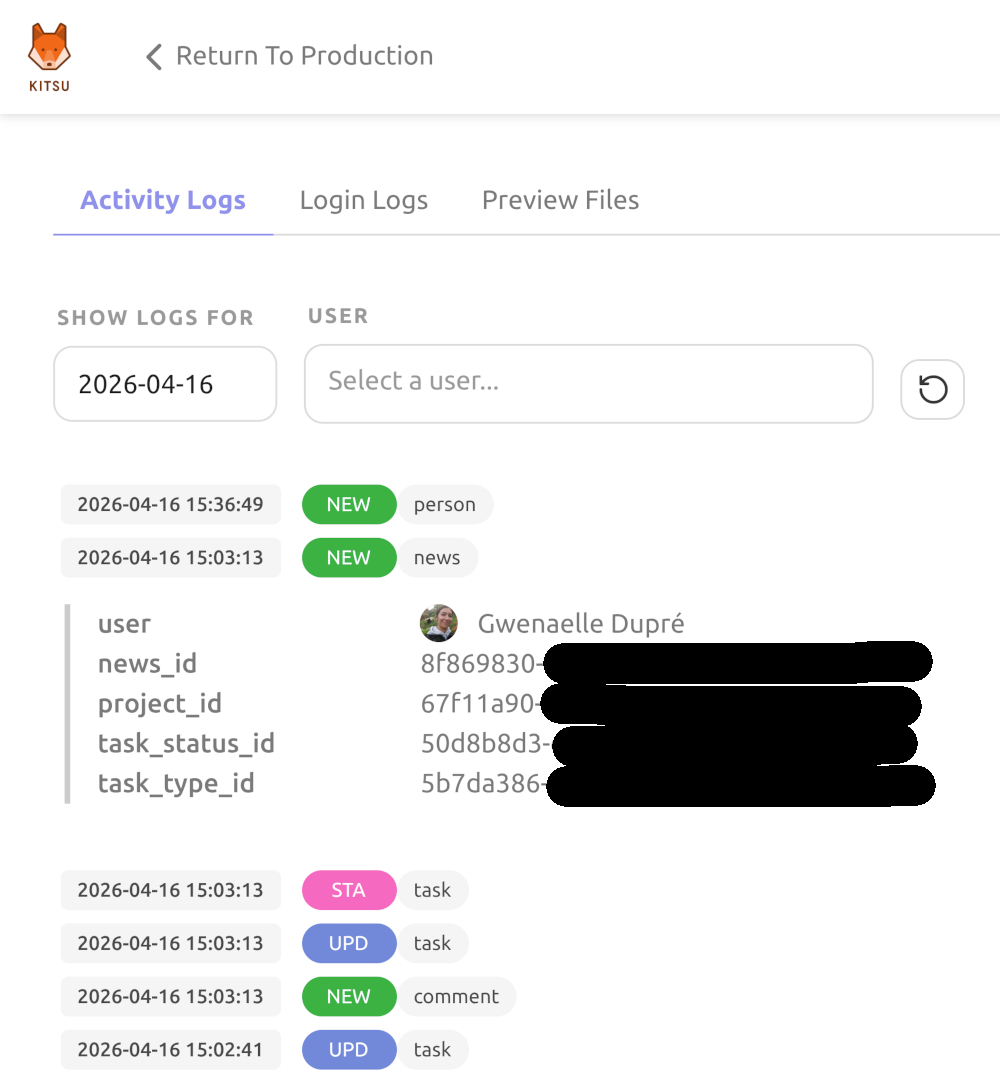
It's possible to filter logs per day and user.
Login Logs
Login logs give administrators better visibility into account access across their organization:
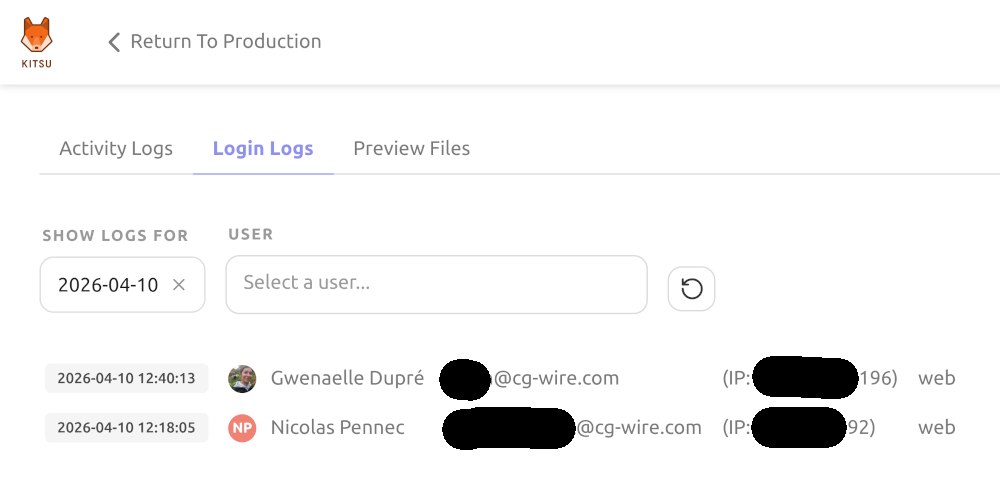
You can use it to see who logged in, how, and when. The log supports filtering by date and person to investigate specific activity, and includes pagination for navigating larger datasets.
Preview File Status Logs
Preview file upload can be tricky for large videos, so this page lists all preview files in an intermediary state: processing or broken.
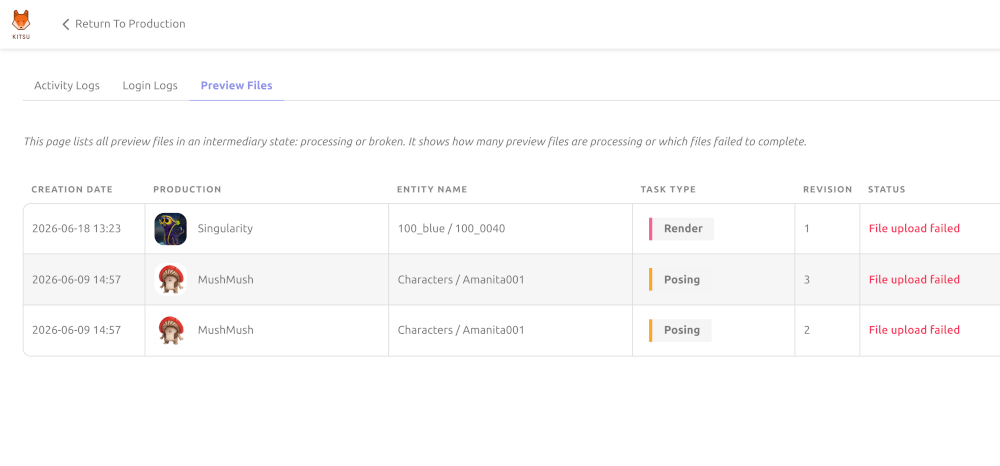
It shows how many preview files are being processed, or which file uploads failed to complete and why.